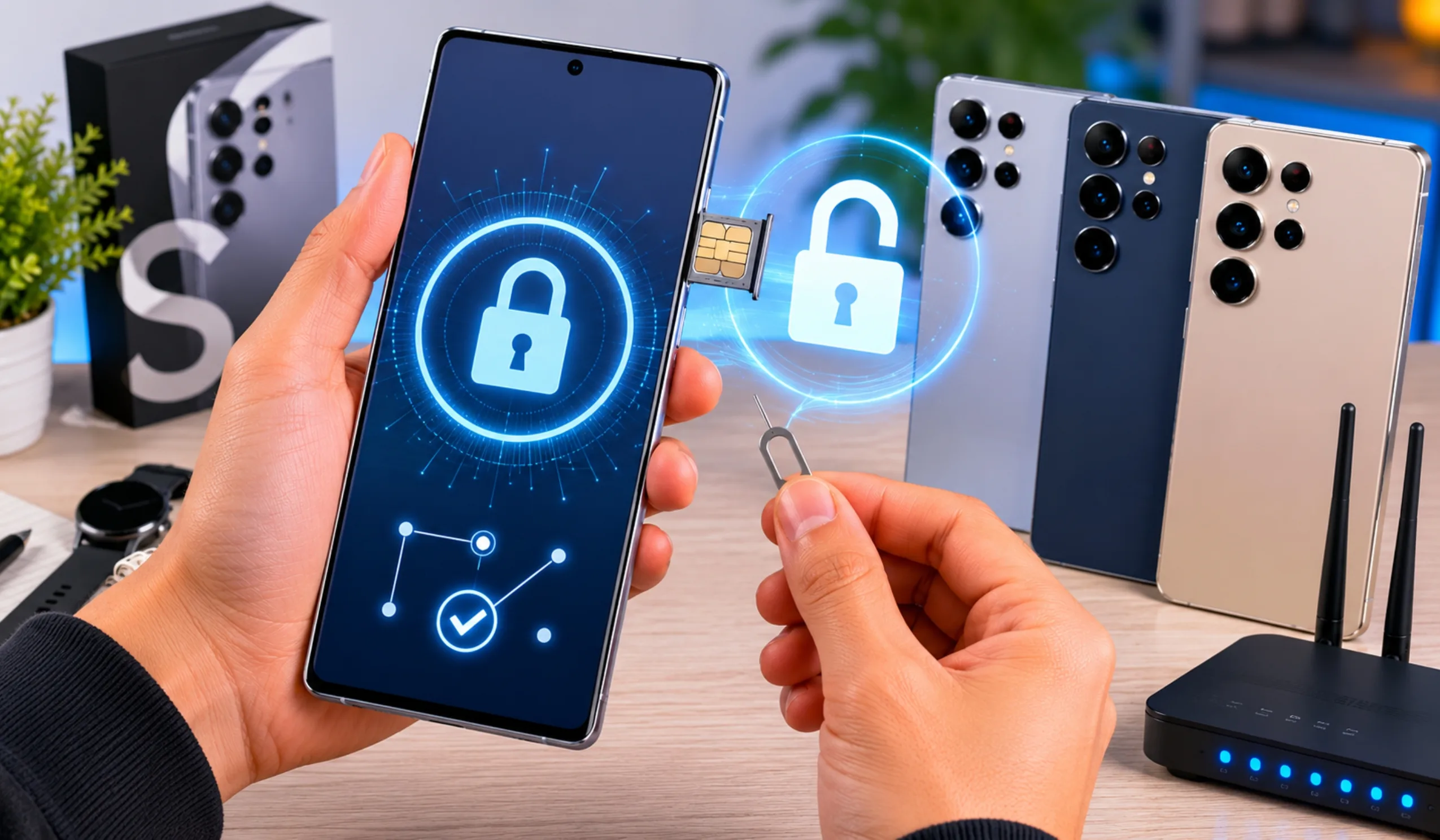
A locked Samsung Galaxy S26 can ruin anyone’s day. Whether the screen PIN has been forgotten, the carrier refuses to let the device switch networks, or the bootloader needs opening for custom software, the solution changes based on the lock type. This guide breaks down every official method to unlock the Samsung Galaxy S26, S26+, and S26 Ultra. No method requires risky third-party hacks. Every step uses built-in Samsung tools, carrier policies, or safe recovery options.
Key Takeaways
- SmartThings Find is the safest way to bypass a forgotten screen lock without losing any photos, apps, or data.
- A factory reset always erases everything and still requires the original Google account password afterward due to Factory Reset Protection.
- Carrier unlocking is free and legal through the original wireless provider once the device is paid off and the account is in good standing.
- Bootloader unlocking permanently breaks Samsung Knox, which disables Samsung Pay, Secure Folder, and voids the warranty.
- Prevention beats recovery — enable SmartThings Find, set up cloud backups, and save your IMEI number before a lockout ever happens.
What Does “Unlock” Really Mean?
The word “unlock” means three different things on the S26 series. Each problem has its own fix.
A screen lock blocks access to the home screen. It uses a PIN, pattern, password, fingerprint, or face scan. A carrier lock (also called a network lock or SIM lock) ties the phone to one wireless company. It stops owners from using other SIM cards. A bootloader lock blocks changes to the phone’s core software. Samsung calls this the OEM lock.
This article covers all three. Readers should skip to the section that matches their exact problem.
Part 1: How to Unlock the Screen on Galaxy S26 / S26+ / S26 Ultra
Forgetting a screen lock happens more often than people admit. The S26 series runs One UI 6.1 or newer. That software gives owners four official ways back inside.
Method 1: SmartThings Find Remote Unlock
This is the safest way to unlock a Galaxy S26 without losing any data. It works from any computer or tablet.
The device owner must have set up SmartThings Find before the lockout happened. The feature used to be called “Find My Mobile.” On the S26, it lives inside Settings > Privacy and Security > Find My Mobile.
If that switch was turned on, the owner can visit the SmartThings Find website on another device. After signing in with the same Samsung account, the locked phone appears on a map. The owner clicks “Unlock.” The phone unlocks instantly over the internet. Photos, apps, messages, and settings stay exactly where they were.
The phone must be powered on and connected to Wi-Fi or mobile data. If the battery is dead or the phone is offline, this method will not work. There is no way around that requirement.
Method 2: Previous Screen Lock Recovery
One UI 6.1 introduced a feature that many owners do not know about. If the PIN, pattern, or password was changed within the last 72 hours, the old lock still works. The owner simply enters the previous screen lock at the lock screen. The phone opens right away.
This method needs no internet. It preserves all data. The only catch is the strict three-day window. After 72 hours pass, the old code stops working forever. This option is perfect for someone who just set a new PIN yesterday and already forgot it.
Method 3: Factory Reset via Recovery Mode
When SmartThings Find was never enabled and the old PIN is forgotten, a factory reset becomes the last resort. This erases every photo, message, and app on the device. It returns the phone to its out-of-box state.
The steps are simple. First, power the phone completely off. Then press and hold the Volume Up button and the Side (Power) button at the same time. Keep holding until the Samsung logo appears and the Android Recovery menu shows up. Use the volume buttons to scroll to “Wipe data/factory reset.” Press the power button to select it. Confirm the choice. The reset takes a few minutes.
After the phone restarts, it acts like a brand-new S26. The owner must go through setup again. This is where Factory Reset Protection (FRP) becomes critical.
FRP is a security wall built into Android 12 and later. It demands the original Google account email and password used on the device before the reset. Without those credentials, the phone stays locked even after the wipe. No official tool can bypass FRP without the correct Google login. Owners who forget both their screen PIN and their Google password face a very hard situation. They must recover the Google account first through Google’s account recovery page.
Method 4: Samsung Account Backup Check
Before doing a factory reset, the owner should check if Samsung Cloud has a recent backup. On a borrowed phone or computer, they can sign into Samsung Cloud. If photos, contacts, and notes were synced, the data loss from a reset becomes less painful. Backing up regularly is the best insurance against a forgotten PIN.
Part 2: How to Carrier Unlock Galaxy S26 / S26+ / S26 Ultra
A carrier-locked S26 shows messages like “SIM network PIN blocked” or “Enter unlock code” when a foreign SIM card is inserted. Carrier unlocking is completely legal in the United States and most countries if the device is not reported stolen and the financial obligations are met.
Step 1: Check If the Phone Is Actually Locked
Some owners assume their phone is locked when it is not. The fastest test is to borrow a SIM card from a different carrier. Power the phone off, insert the new SIM, and power it back on. If the home screen appears normally and calls work, the phone is already unlocked. If a prompt asks for an “NP code” or “network unlock code,” the carrier lock is active.
Step 2: Request an Unlock From the Original Carrier
Every major carrier in the United States—AT&T, T-Mobile, Verizon—has an official unlock policy. The device must usually be fully paid off. The account must be in good standing. The phone cannot be flagged as lost or stolen.
The owner calls customer service or fills out an online unlock request form. The carrier checks the IMEI number against their database. If the device qualifies, the carrier sends an unlock code by email or text within a few hours to a few days. This official unlock is free and permanent.
Step 3: Enter the Carrier Unlock Code
Once the code arrives, the owner inserts a non-carrier SIM card. The phone displays a field that says “SIM Network Unlock PIN.” They type the exact code provided by the carrier. One wrong guess rarely causes permanent damage, but repeated wrong entries can freeze the device. After the correct code, the phone reboots. It now accepts any compatible GSM SIM card worldwide.
Step 4: Using a Third-Party Unlock Service
If the carrier refuses the request—perhaps because the phone was bought secondhand or the account history is unclear—third-party unlock services remain an option. These services work through the phone’s IMEI number. The owner dials *#06# on the S26 to reveal the 15-digit IMEI. They submit this number to a reputable unlock website, pay a fee (usually between $20 and $60), and wait for the code.
Not all third-party services are safe. Owners should read reviews carefully. Scam sites take money and deliver useless codes. Others install malware through fake “unlock apps.” The safest path is always the original carrier. If a third-party service is necessary, the owner should avoid any site that asks for the phone’s password or requests remote access to the computer.
Part 3: OEM Unlock and Bootloader on the S26 Series
Some advanced users want to install custom firmware or root their Galaxy S26. That requires unlocking the bootloader. On Samsung phones, this is called “OEM Unlocking.”
To turn it on, the owner first enables Developer Options. They go to Settings > About phone > Software information. Then they tap “Build number” seven times. A message says “Developer mode has been turned on.” Back in the main Settings menu, they open Developer Options and toggle “OEM unlocking.”
This action trips Samsung’s Knox security fuse permanently. Knox is a hardware-level security layer. Once tripped, it cannot be reset. Samsung Pay, Secure Folder, and some banking apps will stop working forever. The warranty may also become void. For 99% of S26 owners, bootloader unlocking is a bad idea. It only makes sense for developers or hobbyists who fully understand the risks.
Common Mistakes to Avoid
Many blog posts and videos spread outdated or dangerous advice. The Galaxy S26 does not respond to old master codes. Codes like 27673855# or 27672878# worked on Samsung flip phones from fifteen years ago. On the S26, these codes do nothing or trigger unwanted resets.
Another mistake is guessing the PIN dozens of times. After too many wrong attempts, the phone forces a timed delay. On some security policies, it may even wipe itself automatically. Owners should stop guessing after five failed tries.
Finally, many people fall for “one-click unlock” software advertised on social media. These programs almost always carry viruses or steal personal data. Samsung’s official tools are the only trustworthy option.
Prevention Tips: Never Get Locked Out Again
Prevention takes five minutes and saves hours of stress. Every S26 owner should complete these steps today.
First, enable SmartThings Find immediately. Go to Settings > Privacy and Security > Find My Mobile. Turn on every switch. This free service is the fastest rescue tool.
Second, set up automatic Samsung Cloud backups. If a factory reset ever becomes necessary, photos and contacts will survive.
Third, write the screen lock PIN down on paper. Store that paper in a safe or a locked drawer. Do not keep it on the phone.
Fourth, consider using Extend Unlock (formerly Smart Lock). This feature keeps the phone unlocked at home or when connected to a trusted Bluetooth device like a Galaxy Watch. It reduces the number of times the owner must type the PIN, which lowers the chance of forgetting it.
Fifth, record the IMEI number. Dial *#06# and save the 15-digit code in a secure note. It is needed for carrier unlocks, insurance claims, and police reports if the phone is ever lost.
The Bottom Line
Unlocking a Samsung Galaxy S26, S26+, or S26 Ultra does not require magic or risky hacks. Screen lockouts are solved through SmartThings Find, the 72-hour Previous Screen Lock window, or a careful factory reset with Google account credentials ready. Carrier locks are removed through the original wireless provider or a trusted IMEI service. Bootloader unlocking exists for experts, but it breaks warranty and security features that most people need.
The golden rule is simple: use official Samsung and carrier tools first. They are free, safe, and designed exactly for the S26 series. With the right preparation—backups enabled, SmartThings Find turned on, and the IMEI recorded—owners can solve almost any lock problem in minutes instead of hours.
Frequently Asked Questions
The method depends on what kind of lock is active. For a forgotten screen PIN, the safest fix is SmartThings Find. The owner signs into their Samsung account from another device and clicks “Unlock” remotely. If that was never set up, a factory reset through Recovery Mode works, but it erases all data. For a carrier lock, the owner must request an official unlock code from the original wireless provider. They can also use a trusted third-party IMEI service if the carrier refuses.
It depends on where the phone was purchased. Devices bought directly from Samsung.com or authorized retailers as “factory unlocked” models arrive without any carrier restrictions. Phones sold through AT&T, T-Mobile, or Verizon usually start with a network lock. That lock stays in place until the device is fully paid off and the carrier approves an unlock request.
The fastest test takes about two minutes. The owner borrows a SIM card from a different wireless carrier, powers the phone off, inserts the new card, and restarts. If the home screen loads normally and the phone connects to the new network, it is already unlocked. If a prompt appears asking for a “SIM Network Unlock PIN,” the carrier lock is still active.
Yes, but the owner must use the right tool for the right lock. Screen locks can be cleared through SmartThings Find, the 72-hour Previous Screen Lock feature, or a factory reset. Carrier locks are removed with an official unlock code from the wireless company. No lock is truly permanent on a legally owned device. The only hard rule is Factory Reset Protection: after a reset, the original Google account password is still required.
Retail pricing for the factory-unlocked Galaxy S26 Ultra varies by region, storage size, and current promotions. Samsung and major retailers set the official price, which changes during sales events. If the question refers to unlocking a carrier-locked unit, the official carrier unlock is usually free once the device is paid off and the account is in good standing. Third-party IMEI unlock services typically charge a fee, but prices vary by network.
The owner starts by contacting the original carrier. They need the phone’s 15-digit IMEI number, which appears by dialing *#06#. The carrier checks that the device is paid off, not reported stolen, and tied to an account in good standing. Once approved, the carrier emails an unlock code. The owner inserts a non-carrier SIM, enters the code when prompted, and the phone accepts any compatible GSM network worldwide. If the carrier denies the request, reputable third-party IMEI services are the next safest option.